Skip to content
TakPhoto

UK Passport Digital Photo (online application)

VerifiedChecked against the official source on 2026-09-22.Official requirements

Quick facts

What a UK Passport Digital Photo (online application) must look like, from our document catalogue.

Photo size
36×45 mm
Digital size
600×750 px
Head height (chin to crown)
29–34 mm
Background colour
#E6E6E6 (also accepted: #F3EEDC, #FFFFFF)
Print resolution
300 DPI
Glasses
Allowed, with no glare and no tinted lenses
Head covering
Religious head covering allowed, with the whole face visible
Expression
Neutral, mouth closed, both eyes open

Before and after

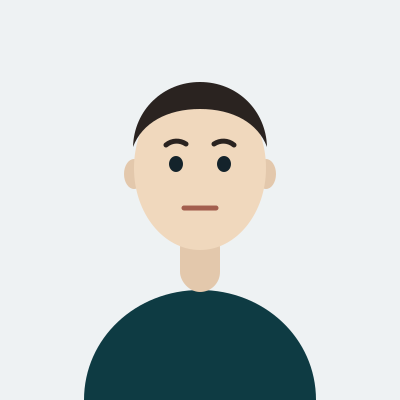
The same snapshot, straightened, cropped and put on the background this document asks for.

Illustration of a finished UK Passport Digital Photo (online application)

Get this photo now

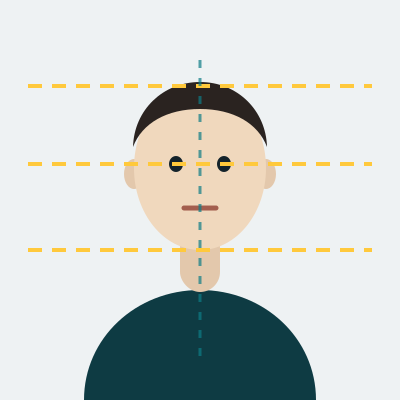
Illustration of a finished UK Passport Digital Photo (online application)

We check every rule above before you pay.

This text has not been translated yet and is shown in English.

How to take a UK passport digital photo with your phone

This is the one document on the site with nothing to print. The online passport application takes either a digital code from a booth or a shop, or a photo you take yourself with your own device and upload — and the second route is why the file requirements are written in pixels rather than millimetres: at least 600 pixels wide and 750 tall, JPEG, between 50 KB and 10 MB. Any modern phone clears that with room to spare; the risk is the other direction, sending a heavily compressed copy pulled out of a chat app.

The framing still follows the printed photo: a 36×45 mm proportion with the head 29–34 mm from the crown to the chin. Have someone hold the phone at your eye level with the rear camera, about 1.5 metres from a plain light wall, and leave space around you — the upload will be cropped, and space is the only thing you cannot add later. Do not edit the result. The photo has to be unaltered by software, which rules out the beauty filters some phones apply by default, so turn those off before the first shot.

Why a UK passport digital photo comes back

The background must be plain and light with clear contrast against your face, and free of shadows — the single most common rejection is a shadow cast onto the wall behind the head.

The photo must be taken within the last month, which is far stricter than the six months most countries allow, so a picture from the summer will not do in the autumn. Glasses should come off unless you have to wear them, and even then the eyes must not be obscured by frames or glare. Also refused: sunglasses and tinted lenses, red eye, hair across the eyes, anything covering the face, a head covering worn for reasons other than religious or medical ones, and any other person or object in the frame. The expression is plain with the mouth closed, looking straight into the lens.

Where a UK passport digital photo is used

It covers the online application for a first passport, a renewal and a child's passport, and once accepted it is checked on submission rather than weeks later. Keep the file: the same picture is what a replacement or an urgent application will ask for. The current rules are on the official gov.uk passport photo page.
Written by TakPhoto editorial, last checked 23 กันยายน 2569.

Accepted and rejected examples

The same person six times. The three on the left follow the rules above; the three on the right are the mistakes we see most.

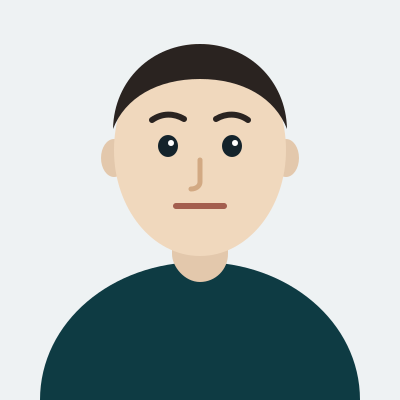
  • Illustration: a centred head and shoulders on an even, plain background
    Accepted

    Even light, plain background

    Daylight from the front, no shadow on the wall, background a single flat colour.

  • Illustration: a straight, centred head with the eye line marked
    Accepted

    Head straight and centred

    Eyes level, shoulders square to the camera, the whole face visible from chin to crown.

  • Illustration: a neutral face with the mouth closed and both eyes open
    Accepted

    Neutral expression, eyes open

    Mouth closed, both eyes open and unobscured, hair away from the eyes.

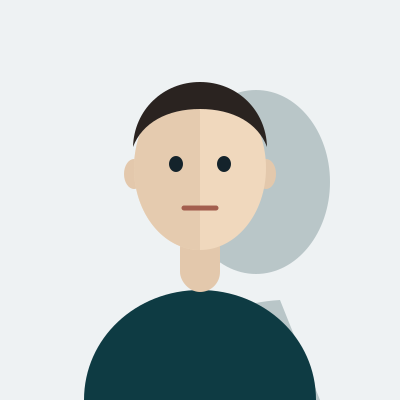
  • Illustration: a head casting a hard shadow on the wall behind it
    Rejected

    Shadow on the background

    A lamp behind the camera throws a hard shadow, so the background is no longer one colour.

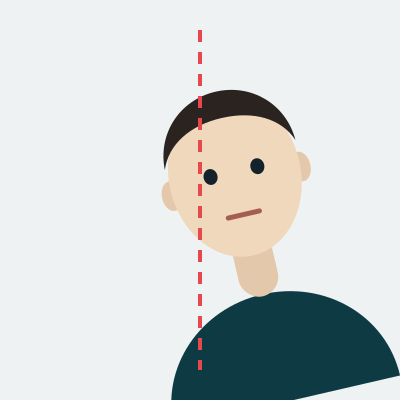
  • Illustration: a tilted, off-centre head inside the frame
    Rejected

    Head tilted or off centre

    The face is turned away from the lens and sits off the centre line, so the measurements fail.

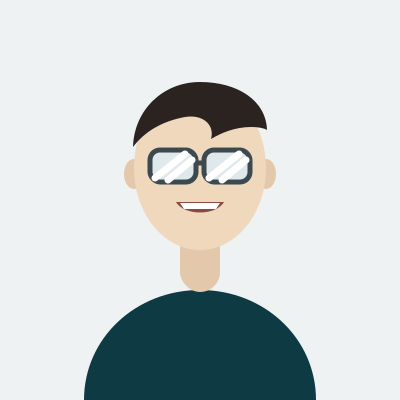
  • Illustration: a smiling face with glare across the glasses
    Rejected

    Glare, smile or covered eyes

    Reflections on the lenses, a smile with visible teeth, or a fringe across the eyes.

The most common reasons this photo comes back

Each of these is checked automatically before you pay, so you find out in seconds rather than weeks.

  1. The background is not #E6E6E6 (also accepted: #F3EEDC, #FFFFFF)

    A patterned wall, a second colour, or a shadow behind the head all break the plain background this document requires. We replace the background with the exact colour above.

  2. The head is the wrong size in the frame

    The head must measure 29–34 mm from chin to crown. Standing too close makes it too large, and a cropped snapshot usually makes it too small.

  3. Reflections on the glasses

    Glasses are accepted, but a reflection across either lens hides the eye underneath and the photo is refused. Turn away from the lamp or take the glasses off.

  4. Smiling or speaking

    The expression must be neutral, with the mouth closed and both eyes open. A smile changes the distances between the facial landmarks the check measures.

  5. Blurred or low resolution

    A photo of a printed photo, a screenshot, or an image scaled up from a small crop loses the detail the clerk looks for. Shoot with the rear camera, not a screenshot.

  6. Uneven light on the face

    One lamp on one side leaves half the face dark. Face a window, or use two light sources at the same distance.

Questions about the UK Passport Digital Photo (online application)

What size is a UK Passport Digital Photo (online application)?
A UK Passport Digital Photo (online application) is 36×45 mm, which is 600×750 px at 300 DPI. Print it at exactly that size: a photo enlarged from a smaller crop loses the detail the clerk checks.
What background colour does a UK Passport Digital Photo (online application) need?
The background must be #E6E6E6 (also accepted: #F3EEDC, #FFFFFF), plain and evenly lit, with no shadow behind the head. Any pattern, second colour or visible shadow is a rejection.
How big must the head be in a UK Passport Digital Photo (online application)?
The head must measure 29–34 mm from the chin to the top of the crown, centred in the frame with the eyes looking straight at the lens.
Can I wear glasses in a UK Passport Digital Photo (online application)?
Allowed, with no glare and no tinted lenses. This is the rule the office applies to a UK Passport Digital Photo (online application), and it is one of the checks we run before you pay.
Can I smile in a UK Passport Digital Photo (online application)?
No. The expression must be Neutral, mouth closed, both eyes open, because the distances between your facial landmarks are what the document is measured on.
Can I take a UK Passport Digital Photo (online application) with my phone?
Yes. Use the rear camera, stand about 1.5 metres from a plain wall in daylight, and we handle the crop to 36×45 mm, the background and the head height for you.
How much does a UK Passport Digital Photo (online application) cost here?
One small one-off fee, with no account and no subscription, and you only pay after the photo has passed every check above. The current price is on the pricing page.
How long does a UK Passport Digital Photo (online application) take?
About 30 seconds from the moment you upload: the checks, the crop and the background run immediately, and you download the digital file and a printable sheet straight away.

Was this page helpful?